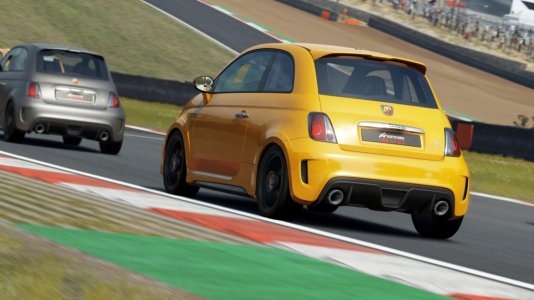
After the first Early Access release, many sim racers are checking out Assetto Corsa EVO for the first time. Here are five tips we think could be helpful for those who are diving in!
Finding your feet in new sims is usually a bit of a hassle. An unfamiliar UI to navigate, settings that have to be made, intricacies that hardly anyone tells you about - and Assetto Corsa EVO is no different in this regard. Kunos Simulazioni's new title has seen its first Early Access release that was not without problems, but the developers are on their toes to fix issues. Since the initial release, two patches have been deployed already.
Many players reported issues when trying to launch the game or starting a session, for which the community has found a few workarounds that have also been picked up by Kunos themselves on the official Assetto Corsa Discord. Check out our article on the state of Early Acces and known issues for the full list.
Technical issues aside, there are more things that are good to know when diving into Kunos' new title. Here are 5 Assetto Corsa EVO tips that you might find useful.

The solution is relatively simple if you know where to look: Click on the assigned control, then select the 'Properties' tab on the right. There, you can select 'Invert' to gain normal pedal function. Be sure to also to this for your handbrake should you have one assigned, as that will also keep you stuck in the pits in its perpetually-engaged state otherwise.

Meanwhile, you can also interact with cars in the garage. Click the 'Car Options' button on the bottom right, and you can open doors, switch on the lights, start the engine, and even check out a car's interior via the 'Change View' button. It is similar to what you can do in the showroom of the original Assetto Corsa's Content Manager.

Luckily, the simple solution to this is that you can simply drag and drop HUD elements where you want them with your mouse. This way, you can rearrange all the elements on screen as you see fit - which can come in very handy with the default position of the session timing in particular, as that is right in the center of the optional virtual mirror if you switch that on.
Unfortunately, this seems to reset every time you restart Assetto Corsa EVO, so for now, you will have to move the HUD elements every time you launch the sim.

Note the tire HUD in the bottom right - both rears are gone after an almighty off at The Chase.
What surprisingly is a thing already considering the otherwise very rudimentary damage model is that you can actually blow tires. I found this our by accident - literally - when I went off dramatically at The Chase at Bathurst when streaming the other night (unfortunately, I cannot embed the clip, so it is linked for you instead).
Once I dragged my poor Porsche Cup car from the kitty litter, the tire HUD not displaying pressures for either of the rears and a distinct flapping noise confirmed this suspicion. As did the suddenly squirrely handling on acceleration.

While the performance index at the top right is the same for each of these options for a certain car, they do have certain differences. The Mazda MX5 ND Cup is a perfect example for this, as it comes with two variants with different gearboxes - one manual, the other sequential.
Another example is the Porsche 911 GT3 Cup (992), which, in line with the different rules in different Porsche Cups around the world, has multiple versions with or without Traction Control, ABS, or both. For road cars, this could denote different performance packages or interiors - likely a preview to the customization that will be possible in Assetto Corsa EVO, both for a car's performance and visual elements.
What have you discovered in AC EVO so far that others might find useful? Let us know in the comments below and join the discussion in our Assetto Corsa EVO forum!
Finding your feet in new sims is usually a bit of a hassle. An unfamiliar UI to navigate, settings that have to be made, intricacies that hardly anyone tells you about - and Assetto Corsa EVO is no different in this regard. Kunos Simulazioni's new title has seen its first Early Access release that was not without problems, but the developers are on their toes to fix issues. Since the initial release, two patches have been deployed already.
Many players reported issues when trying to launch the game or starting a session, for which the community has found a few workarounds that have also been picked up by Kunos themselves on the official Assetto Corsa Discord. Check out our article on the state of Early Acces and known issues for the full list.
Technical issues aside, there are more things that are good to know when diving into Kunos' new title. Here are 5 Assetto Corsa EVO tips that you might find useful.
Invert Your Pedal Axis
Starting off with a relatively basic element, namely assigning your controls. What should be a pretty straight-forward process really is not, in part due to the fact that pedal axis are inverted for many players by default. Normally, you notice this when in the pits for your first session, wondering why your car is reving to high heavens.The solution is relatively simple if you know where to look: Click on the assigned control, then select the 'Properties' tab on the right. There, you can select 'Invert' to gain normal pedal function. Be sure to also to this for your handbrake should you have one assigned, as that will also keep you stuck in the pits in its perpetually-engaged state otherwise.
Change Your Home Space & Interact With Cars
Moving on to something not exactly essential, but it is still a nice detail: It is possible to change your home space in the main menu via the 'Scene Options' button at the bottom right. By default, the last car you selected will be shown in a big garage of sorts, but you can change that to a small town square (called Urban), a garage on pit lane of a race track, or a platform in the middle of the ocean, among others. Changing the time of day and level of cloud coverage is also possible.Meanwhile, you can also interact with cars in the garage. Click the 'Car Options' button on the bottom right, and you can open doors, switch on the lights, start the engine, and even check out a car's interior via the 'Change View' button. It is similar to what you can do in the showroom of the original Assetto Corsa's Content Manager.
Move HUD Elements With Your Mouse
The HUD menu in the settings is not functional yet, but that does not mean that you have to use the default position of the HUD elements if you do not want to. For instance, if you want to stream in a 16:9 aspect ratio but use an ultrawide monitor, most HUD elements would be outside the frame visible for your viewers.Luckily, the simple solution to this is that you can simply drag and drop HUD elements where you want them with your mouse. This way, you can rearrange all the elements on screen as you see fit - which can come in very handy with the default position of the session timing in particular, as that is right in the center of the optional virtual mirror if you switch that on.
Unfortunately, this seems to reset every time you restart Assetto Corsa EVO, so for now, you will have to move the HUD elements every time you launch the sim.
Note the tire HUD in the bottom right - both rears are gone after an almighty off at The Chase.
Cars Do Not Consume Fuel (But Can Blow Tires)
Assetto Corsa EVO already allows players to make certain setup changes, including fuel load - which is not a factor yet, interestingly. No matter how little fuel you put in your car, you will never run out. To test this, I opted for just 2 liters for the big, 700 hp V8-powered Mercedes-AMG GT2, but even after ten laps at Brands Hatch GP, I was still truckin' like normal.What surprisingly is a thing already considering the otherwise very rudimentary damage model is that you can actually blow tires. I found this our by accident - literally - when I went off dramatically at The Chase at Bathurst when streaming the other night (unfortunately, I cannot embed the clip, so it is linked for you instead).
Once I dragged my poor Porsche Cup car from the kitty litter, the tire HUD not displaying pressures for either of the rears and a distinct flapping noise confirmed this suspicion. As did the suddenly squirrely handling on acceleration.
Cars Come In Different Variants
As of the first Early Access release, there are 20 cars in Assetto Corsa EVO - but that is not quite the full story. When going through the list of cars, you might notice that they tend to come with small notes on the bottom right of their preview, and these have more of an effect than you might realize at first glance.While the performance index at the top right is the same for each of these options for a certain car, they do have certain differences. The Mazda MX5 ND Cup is a perfect example for this, as it comes with two variants with different gearboxes - one manual, the other sequential.
Another example is the Porsche 911 GT3 Cup (992), which, in line with the different rules in different Porsche Cups around the world, has multiple versions with or without Traction Control, ABS, or both. For road cars, this could denote different performance packages or interiors - likely a preview to the customization that will be possible in Assetto Corsa EVO, both for a car's performance and visual elements.
What have you discovered in AC EVO so far that others might find useful? Let us know in the comments below and join the discussion in our Assetto Corsa EVO forum!